Five steps. No hassle.
From idea to highlight video, there's just one path — and it's direct.
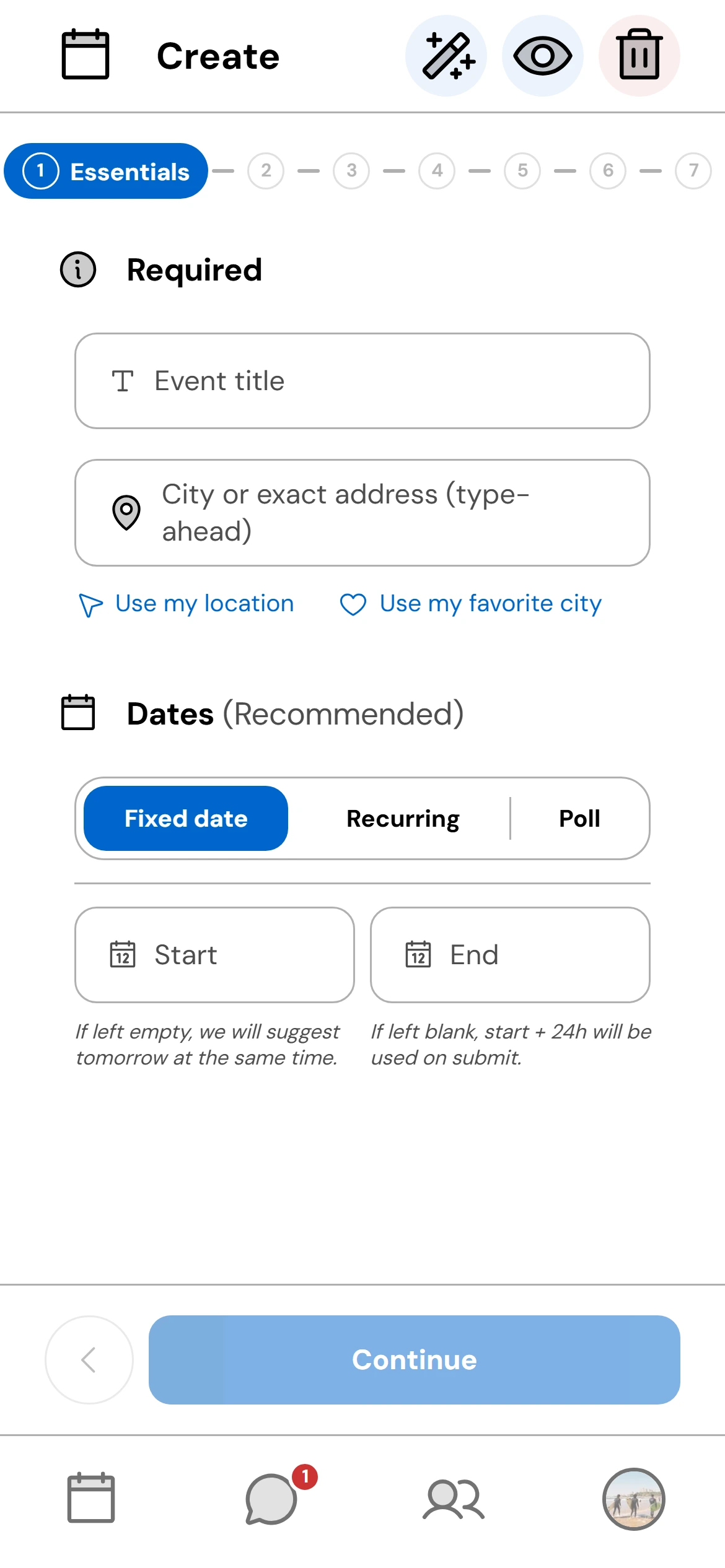
Create your event
Title, city or exact address, a fixed or recurring date — or a date poll. Add a cover photo (or AI-generated), a category, a description, practical info (dress code, parking, what to bring…) and a useful link. Set visibility, the access mode (open, secret question, code or invitation), member approval and a participant limit. It's live.
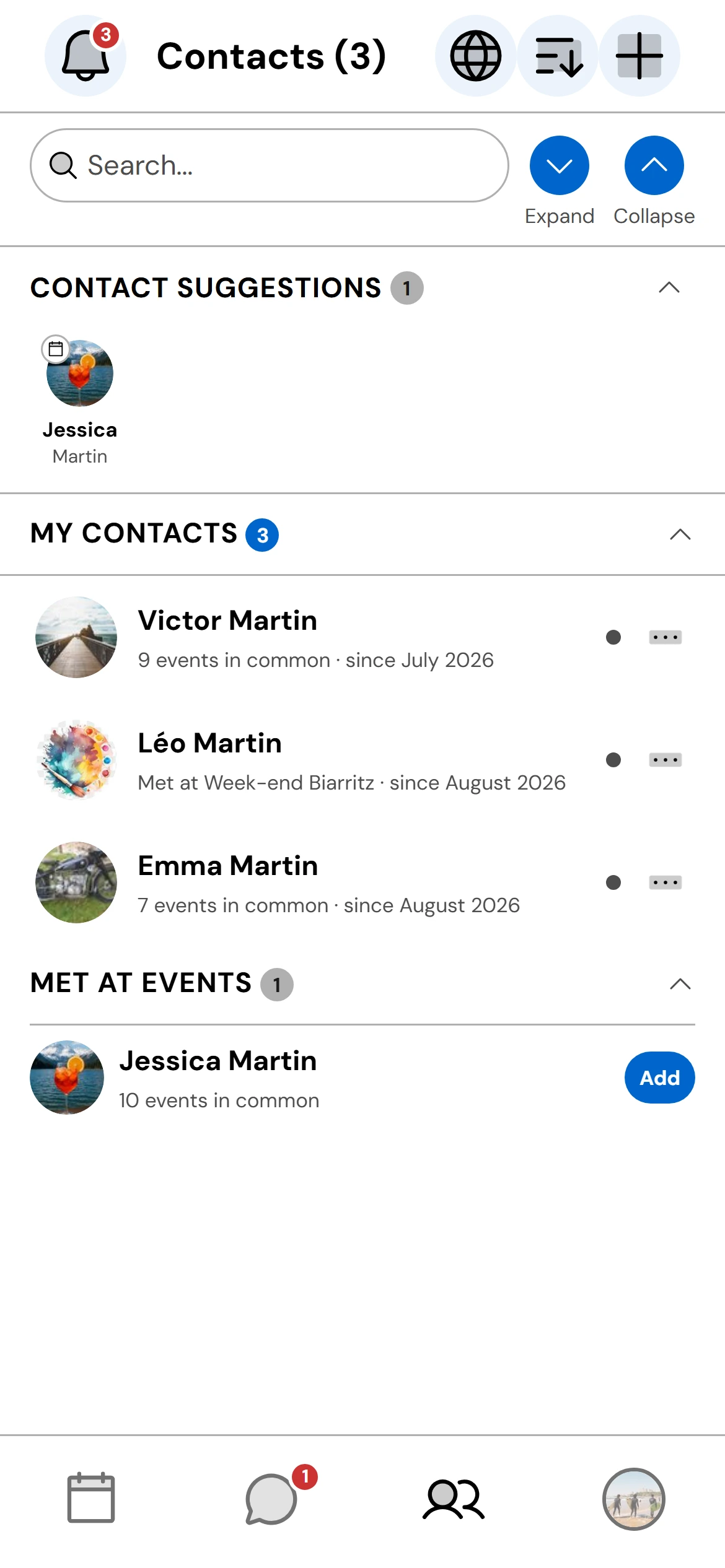
Invite your guests
Invite your contacts or contact groups, or let people find your event in Explore and join it — by answering a secret question, with a secret code, or freely. Your choice.
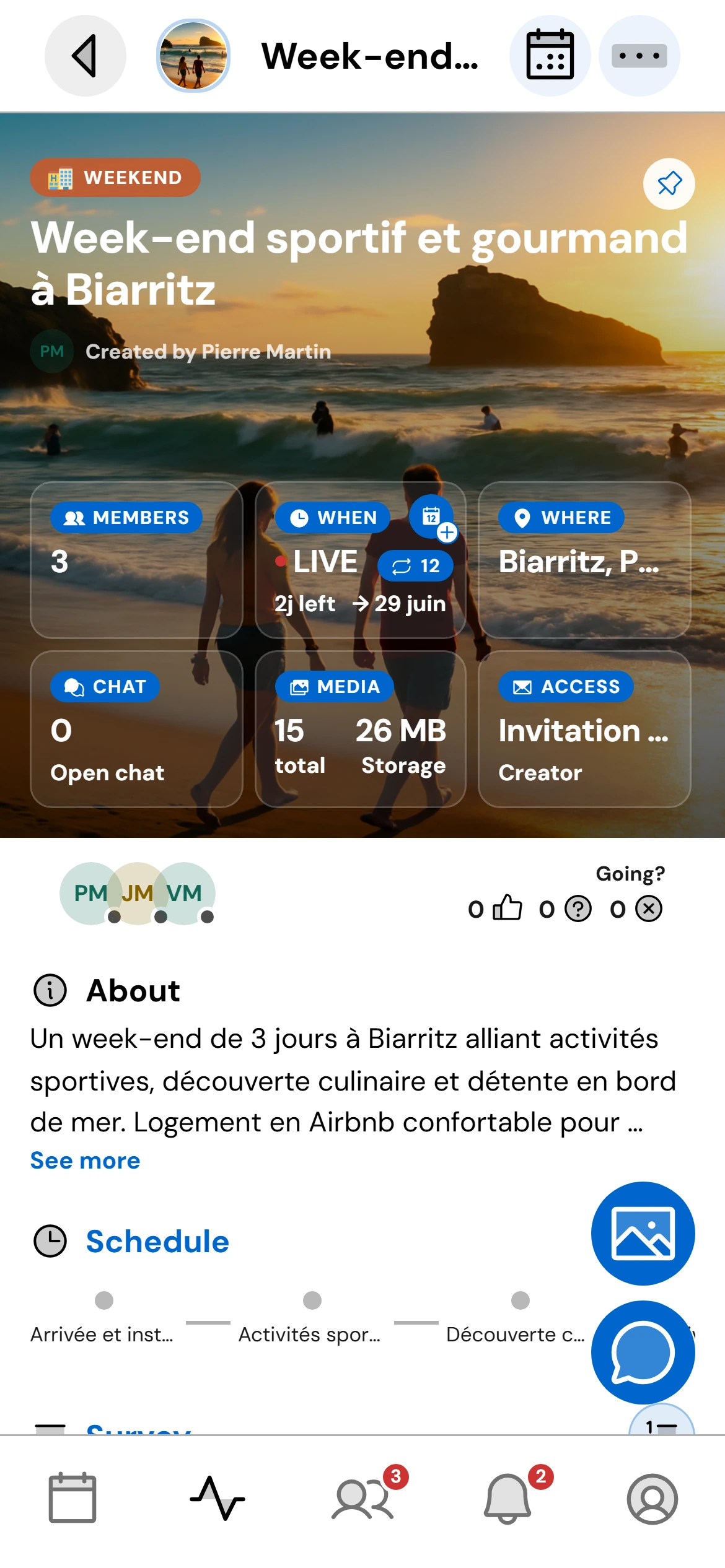
Run your event
Enable what you need: group chat, schedule, organizer checklist, quick poll, questionnaire, “who brings what”, carpooling, live location, availability calendar and guestbook. Share the event with whoever you want and keep your guests informed in real time with notifications.
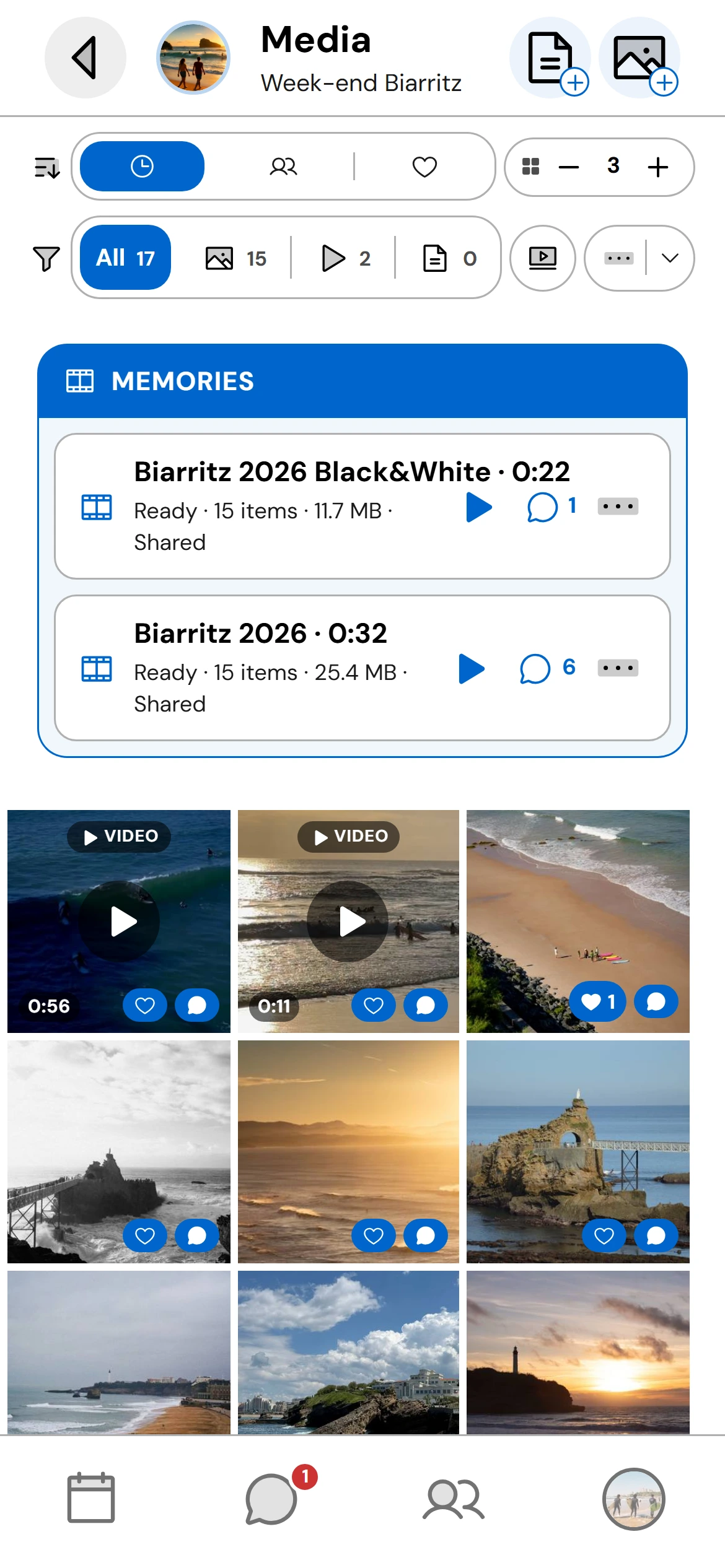
Download your media
Everyone adds their photos, videos and documents to the event's shared gallery, visible to all in real time. Reactions and comments on every item, favorites, filters by type or by person, adjustable grid. Download the originals in full quality.
Play the memory video and share it
Once the event is over, the creator generates the memory video whenever they like, choosing the photos, format and music to their taste. Then they can share it with all the guests, who can watch and download it freely.